Voice GPS Navigation Direction
Appsiun TechnologyMaps & Navigation
4.016.00 Reviews
- Version
- 1.6.2
- Installs
- 100.00K
- Age Rating
- Everyone
Screenshots
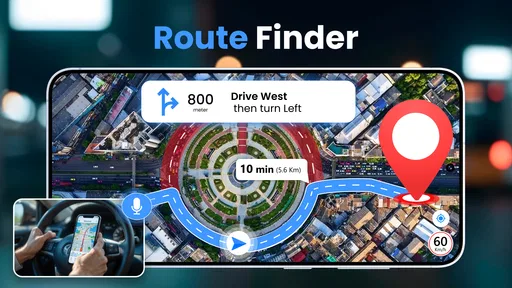
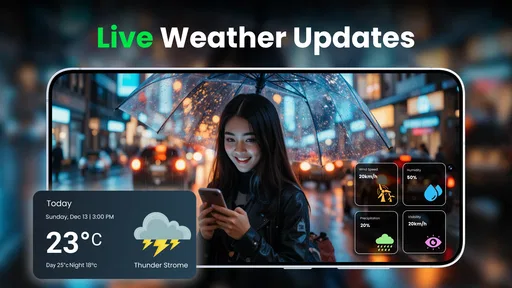

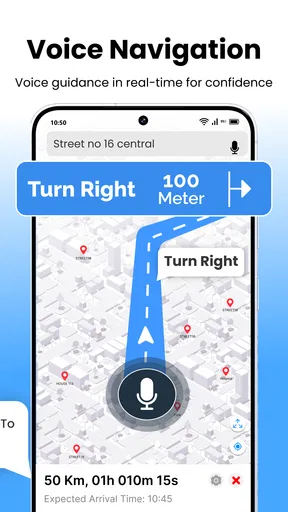
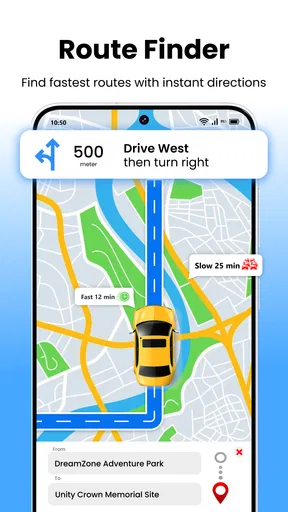
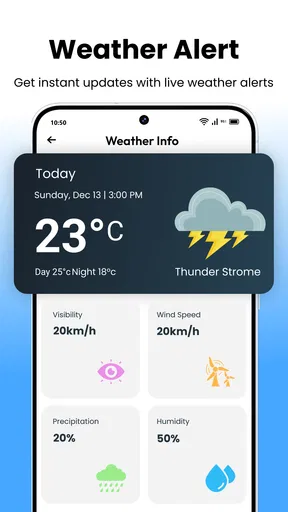


Our Review of Voice GPS Navigation Direction
 Analysis by Appyee
Voice GPS Navigation Direction is the kind of Maps & Navigation app I would try when I want a straightforward driving companion rather than a large travel platform packed with extra services. Developed by Appsiun Technology, it focuses on spoken guidance, route planning, and turn-by-turn driving directions. That narrow purpose is important: it makes the app easy to understand, but it also means your experience depends heavily on how well its route tools fit your daily habits.
I approached it as a practical navigation tool for ordinary trips: commuting, finding an unfamiliar address, planning a drive across town, and checking a route before leaving home. The app is free to install, carries an Everyone age rating, and has reached over 100 thousand installs. Its current version is 1.6.2, so it feels like a relatively young product rather than a navigation service with decades of accumulated features.
How Voice GPS Navigation Direction feels in everyday use
The first thing I noticed is that the app’s appeal is easy to grasp. You open it because you need directions, choose where you want to go, and expect spoken instructions to help you keep your eyes on the road. That direct relationship between the app and the task is its strongest quality. I do not have to think of it as a social network, a travel diary, or a general-purpose local search tool. It is primarily a driving aid.
For a short journey, that focus can make the experience feel quick. The app is not asking me to build a complicated itinerary before I can start moving. When I already know the destination, I can treat it as a simple sequence of decisions: enter the place, review the proposed route, and follow the voice guidance. The perceived speed therefore comes less from flashy animation and more from how little preparation the task requires.
That said, route calculation speed is not the only kind of speed that matters. A navigation app can feel slow if the destination search is awkward, if the route screen takes too much attention, or if instructions arrive too late to be useful. I would judge Voice GPS Navigation Direction on those moments rather than on how quickly it opens. Drivers need information at the right time, not merely an app that launches rapidly.
My practical advice is to set the destination before pulling away. Even with voice guidance, entering an address while driving is a poor workflow. I would also give the route a quick glance while parked, especially when the trip includes several turns close together. That small habit reduces the need to interact with the screen later and makes the app’s simple design work in its favor.
A realistic commute scenario
Imagine leaving work for a medical appointment in a part of town you rarely visit. I would enter the destination while still in the parking lot, check whether the route heads toward the correct neighborhood, and start the drive with the phone mounted where instructions are easy to hear. The voice prompts then become a reminder system: I can concentrate on traffic instead of repeatedly checking a map.
This is where the app makes sense for me. I do not need a detailed travel plan, and I am not asking it to organize stops, reservations, or sightseeing. I need a route and audible direction for one destination. The simpler the journey, the more convincing the app feels as a lightweight alternative to a larger navigation suite.
For a trip with several errands, I would be more cautious. A route planner can be useful as a starting point, but I would verify the order of stops myself and avoid assuming that the most convenient sequence has been automatically created. The app’s central promise is guidance to a destination, not a complete personal logistics system.
What happens during heavier navigation use
The demanding moments are not limited to long-distance driving. A short urban trip can put more pressure on navigation than an open road because turns arrive quickly, streets may run parallel, and a missed exit can change the route immediately. In that setting, voice prompts are especially valuable, but timing and clarity matter more than the number of options on screen.
I would use the app differently depending on the drive. On a familiar commute, I might glance at the route only once and rely mostly on audio. In an unfamiliar downtown area, I would review the next few decisions before leaving and keep the phone positioned securely. That is not a criticism unique to this app; it is a sensible way to use any phone-based navigation tool when the road situation is busy.
Long journeys create another kind of burden. The screen may remain active for much longer, voice instructions may continue for hours, and the phone has to stay available for the entire drive. I would begin with a well-charged device and, for an extended trip, keep a vehicle charger nearby. The app is free, but free navigation does not remove the physical demands placed on the phone.
There is also a useful trade-off between checking the route repeatedly and trusting the voice prompts. Constantly looking down can make me feel more informed, but it increases distraction. I prefer to use the map for orientation before moving and let audio handle routine turns. If a junction looks confusing, I stop somewhere safe before investigating rather than trying to solve it while driving.
Stability and recovery after interruptions
Reliability in navigation means more than avoiding a crash. I want the app to remain understandable if I take a wrong turn, pause the trip, or temporarily lose my place. In real driving, deviations happen: a road is blocked, a parking entrance is missed, or I decide to stop for fuel. A useful navigation app should help me recover without making the mistake feel like a disaster.
With Voice GPS Navigation Direction, I would treat recovery as something to test early on a familiar route. Before depending on it for an important appointment, I would try changing direction once, stopping the journey, and reopening the route. That gives me a practical sense of how comfortable I am with its response and avoids discovering the workflow for the first time in an unfamiliar area.
I also recommend checking the displayed route after any major interruption. Voice guidance is convenient, but audio alone can be easy to misunderstand when traffic is loud or several streets have similar names. A quick confirmation while safely stopped can prevent a small uncertainty from becoming a long detour.
The app’s average rating is 4.0 from around 1.4 thousand ratings, which suggests a generally positive but not flawless reception. I read that as a reason to keep expectations realistic. It is encouraging enough for me to test the app, but not a guarantee that every device, route, or driving situation will feel equally smooth.
Device limits and the cost of convenience
The minimum operating-system requirement is Android 9, so the app is aimed at reasonably modern Android phones rather than very old hardware. That is helpful for compatibility, but device age still matters in practice. A phone with limited battery health, a dim screen, weak speakers, or little free storage can make any navigation app feel less dependable.
I would pay particular attention to audio. Voice navigation only helps if instructions are audible over road noise. A quiet phone speaker may work in a calm car but become frustrating on a busy highway. Before a long drive, I would test the volume with the phone mounted in its normal position, not held close to my face in a silent room.
Heat is another practical concern during prolonged use. Keeping a display active while the phone is charging in direct sunlight can make the handset uncomfortable and may affect overall responsiveness. I would mount it away from direct sun where possible and avoid covering the device with anything that traps heat. These are simple precautions, but they have a larger effect on perceived stability than small interface differences.
Because the app is free, it is tempting to install it as a backup and forget about it until an emergency. I would not rely on an unfamiliar navigation app that way. A backup is useful only if I have already opened it, searched for a destination, adjusted the volume, and learned where the essential controls are. A five-minute trial at home is more valuable than discovering an unfamiliar screen beside a complicated interchange.
There are in-app purchases ranging from $8.99 to $38.99 per item. That does not automatically make the free experience poor, but it does mean I would inspect any upgrade screen carefully before paying. My rule would be simple: use the free version on several ordinary drives first, identify the exact limitation that bothers me, and then decide whether an optional purchase solves a real problem rather than buying on impulse.
Where it fits beside familiar alternatives
Most people already know the major navigation services built around broad map coverage, local search, traffic information, business listings, and deep integration with other phone functions. Those alternatives may be better for users who want one app to handle every part of a journey. They are also often more familiar to passengers, family members, and anyone helping plan a route remotely.
Voice GPS Navigation Direction has a more focused identity. I would choose it when I want a dedicated voice-guided driving experience without needing a large collection of unrelated tools. That can be refreshing for a person who finds mainstream map apps crowded or distracting. The trade-off is that a narrower app may not replace every convenience I have come to expect from a full mapping ecosystem.
For a daily driver who frequently needs live traffic awareness, detailed place discovery, public transport planning, or complex multi-stop travel, I would compare those needs carefully before switching. A bigger alternative may be the better primary tool. For someone who mainly wants turn-by-turn help to reach a known destination, this app is easier to justify.
I would also separate navigation from route planning. Planning a route before leaving can help me understand distance, direction, and likely decision points. Following that route in motion is a different task, where clear voice instructions and low interaction matter most. The app’s value is strongest when I use it for both in a modest way: prepare briefly, then let the guidance support the drive instead of constantly editing the plan.
Small habits that improve the experience
One non-obvious improvement is to treat the first route as a calibration exercise. I would notice whether the spoken prompts are loud enough, whether the map orientation feels natural, and whether the route presentation matches how I think about streets. If something feels confusing on a familiar road, I can correct my setup before trusting the app in a new area.
A second useful habit is to distinguish a wrong turn from a bad route. If I deliberately leave the suggested path because of a road closure or a safer approach, I would give the app a moment to respond rather than immediately restarting everything. If the result still feels unclear, I would pull over and enter the destination again. This keeps a small navigation error from becoming a distracting chain of screen interactions.
A third is to use the app as a confidence aid, not as a replacement for judgment. Voice directions cannot see every temporary obstruction, unusual driveway, confusing private entrance, or local driving condition. I would follow road signs and safe driving decisions first, then use the app to regain orientation. That mindset is especially important when the suggested route leads through an area I do not know.
Finally, I would keep a second option available for journeys that matter. This does not mean running two navigation apps at once. It means knowing the general destination and main road before departure, so a phone restart, low battery, or confusing instruction does not leave me completely dependent on one screen. The best navigation setup is resilient because the driver remains involved.
Who should install it, and who should pass
I think the app is a sensible trial for Android users who want free voice GPS navigation for everyday driving. It suits a commuter who occasionally visits unfamiliar places, a new driver learning routes, or someone who wants a separate navigation tool instead of using a larger all-purpose map service. The Everyone rating also makes it broadly approachable for households, although safe adult supervision and responsible phone use still matter whenever a device is used in a car.
I would be less enthusiastic for people who expect a complete travel command center. If your normal trips involve many stops, detailed offline preparation, extensive place research, or advanced traffic decisions, you may prefer a more established alternative with a broader feature set. I would also skip making it my only option until I had tested it on the roads I use most often.
Support from Appsiun Technology will matter to the app’s long-term impression. Navigation products need ongoing attention because phones, roads, and user expectations change. The current version is 1.6.2, and the app was released on May 28, 2024, so I see it as a product that deserves evaluation based on its present usefulness rather than assumptions about a long history.
My performance verdict
Voice GPS Navigation Direction succeeds when I ask it to do one clear job: help me drive to a destination with spoken guidance and a route I can review before setting off. Its focused approach can make short trips feel uncomplicated, and the free entry point makes testing it easy. I also like that I can judge its usefulness through ordinary journeys rather than committing to a paid plan immediately.
My reservations are equally practical. Navigation quality is experienced under pressure, not in a store preview. Busy streets, long drives, phone heat, weak speakers, and interruptions can expose friction that a simple route does not. The in-app purchase range also means I would investigate the free experience carefully before spending money. I would not assume that a focused app automatically matches the depth of the most familiar mapping alternatives.
Overall, I would recommend giving it a fair trial if you want a lightweight driving companion and your needs center on voice directions. Start with a familiar route, test the audio and recovery behavior, and learn the controls while parked. If it remains clear and stable on your regular drives, it can be a useful addition to your phone. My honest recommendation is to use it as a focused navigation option first, then decide whether it deserves to become your main route planner.
Verdict
Strengths of Voice GPS Navigation Direction
- Clear turn-by-turn voice guidance helps keep attention on the road.
- Accurate route guidance supports driving, walking, and cycling trips.
- Automatic rerouting can save time when you miss a turn or face delays.
- Simple map controls make destinations easy to search and select.
- Useful location features help users find nearby places and services.
Limitations of Voice GPS Navigation Direction
- Voice instructions may be difficult to hear in noisy environments.
- GPS accuracy can decrease indoors, in tunnels, or between tall buildings.
- Continuous navigation may drain the battery during long journeys.
- Some features may require an active internet connection or mobile data.
- Background location access can raise privacy concerns for some users.
Similar Picks in This Category
View All
Uber - Request a ride
Uber Technologies, Inc.4.7


inDrive. Rides with fair fares
® SUOL INNOVATIONS LTD4.8

Yandex Go: Taxi Food Delivery
Mikromobilnost LLC Belgrade4.8

Bolt: Request a Ride
Bolt Technology4.8

Rapido: Bike-Taxi, Auto & Cabs
Rapido Bike Taxi4.8
Frequently Asked Questions
What is Voice GPS Navigation Direction and how does it work?
Voice GPS Navigation Direction is a navigation app designed to provide turn-by-turn driving guidance using GPS and spoken instructions. After entering a destination, the app calculates a route and announces upcoming turns, roads, exits, and estimated arrival information. It is intended to help drivers keep their eyes on the road, although users should always follow traffic laws and verify directions when necessary.
Does Voice GPS Navigation Direction work without an internet connection?
The app’s offline capabilities may depend on the version and the map data available on your device. GPS positioning can generally identify your location without mobile data, but route searches, live traffic information, map downloads, and updated addresses may require an internet connection. Before traveling through areas with weak coverage, test the app and download any supported offline maps or routes in advance.
Are the voice directions accurate and available in different languages?
Voice GPS Navigation Direction is designed to provide spoken navigation instructions, making it convenient when you do not want to continually look at the screen. Accuracy depends on GPS reception, map updates, road changes, and the quality of the selected route. Language and voice options may vary by device and app version, so check the settings before starting a long journey.
Does the app provide live traffic updates and alternative routes?
Depending on the installed version and available permissions, Voice GPS Navigation Direction may use online data to offer traffic information, route changes, or alternative directions. These features are not always guaranteed in every region and may require mobile data or location access. Traffic estimates should be treated as guidance rather than a promise, particularly during accidents, roadworks, or rapidly changing conditions.
What permissions and phone features does Voice GPS Navigation Direction require?
The app normally needs access to your device’s location so it can determine your position and provide navigation. It may also request internet access for maps, searches, traffic data, and route updates, while background activity can help maintain guidance when another app is open. Review the permission requests carefully, keep the phone charged, and use a secure dashboard mount while driving.
